Measurement-first Google & YouTube for 8 & 9-figure brands
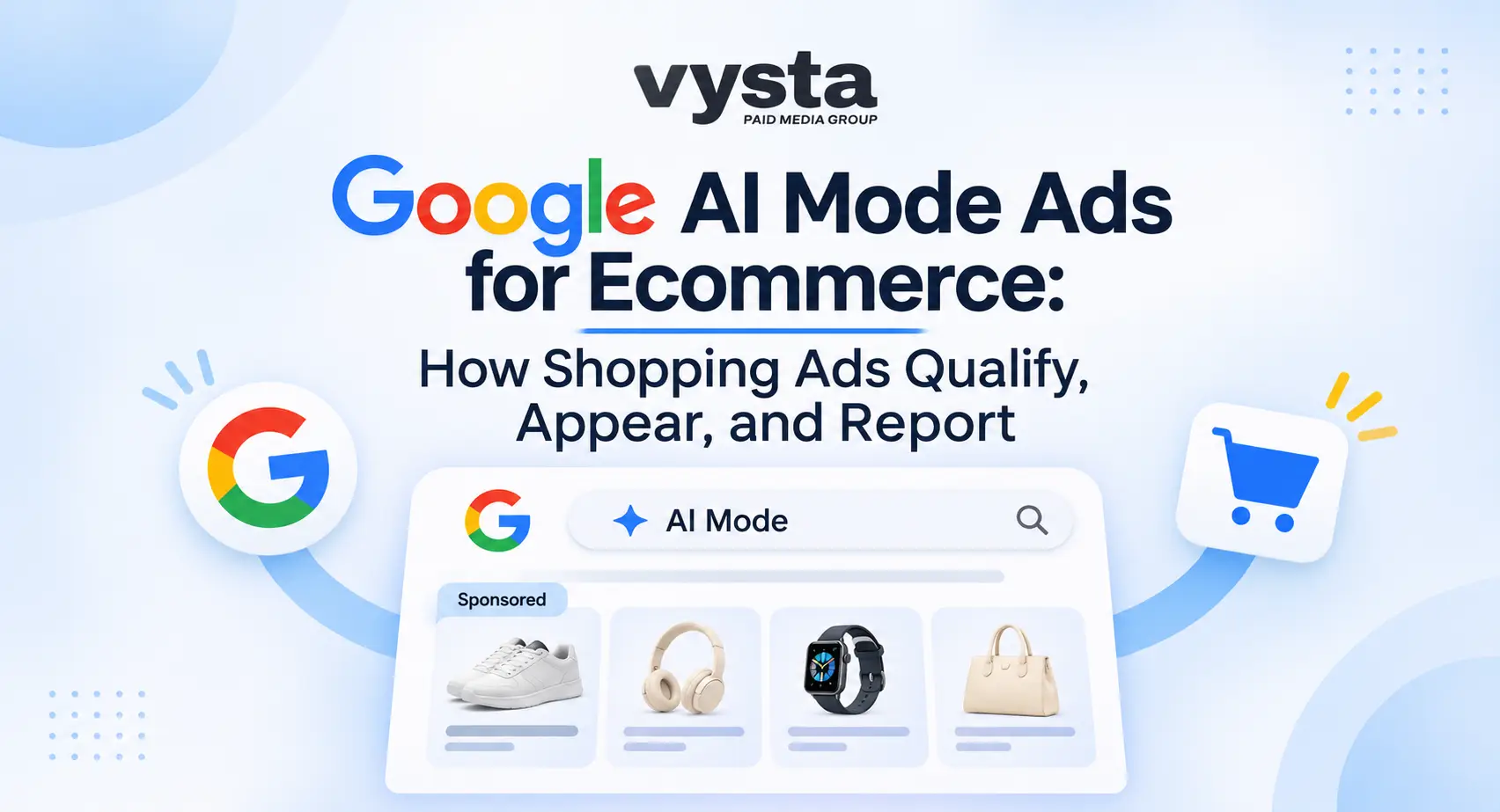
Google AI Mode ads allow ecommerce brands to reach shoppers directly within Google’s AI-generated answers. And if you’re already running Shopping or Performance Max campaigns, your ads are automatically eligible for these placements without needing a separate campaign or budget.
But eligibility doesn’t guarantee visibility. Your products still need to match the shopper’s needs and win Google’s ad auction. Even then, Google doesn’t separate AI Mode results in campaign reports, making it difficult to know how much revenue these placements actually generate.
If you’re running Google Ads for your ecommerce brand and want to reach more potential customers through AI Mode, here are the most important things you need to understand about Google AI Mode ads:
Google AI Mode ads are Sponsored text and Shopping ads that appear within or alongside Google’s conversational search answers. Unlike traditional product searches, AI Mode allows shoppers to ask detailed questions, compare options, and refine their needs through follow-up conversations.
For your ecommerce brand, this creates another opportunity for shoppers to discover your products. Someone might start by asking for advice without mentioning a specific product. If Google’s AI-generated answer identifies a relevant product category, your eligible Shopping ads can appear alongside that recommendation.
However, paid placements and organic recommendations work separately. Advertising doesn’t influence Google’s AI-generated answers, and every Sponsored ad must still qualify through the existing auction.
Before making changes to your campaigns, it’s important to know which Google AI feature you’re dealing with. They may sound similar, but they affect your ads in different ways:
New Google AI Mode ad formats under testing include Conversational Discovery ads and Highlighted Answers, which use Gemini to make Sponsored recommendations more relevant to shoppers’ questions.
For your ecommerce brand, the important distinction is that your existing Shopping campaigns can already participate in AI Mode without waiting for these newer formats to become available.
Google AI Mode uses two methods to match ads with potential customers: direct query matching and contextual matching. **Direct query matching** connects ads to products shoppers explicitly search for, while **contextual matching** uses both the shopper’s question and Google’s AI-generated answer to identify relevant products, even when they weren’t mentioned in the search.
To understand how these methods affect your ecommerce campaigns, here’s how each one works and when your ads can qualify.
Direct query matching happens when someone searches for a specific product or clearly expresses buying intent.
For example, a shopper searching for “waterproof hiking boots for men” could see relevant Shopping ads from eligible advertisers.
With direct matching, Google:
This works much like traditional Google Shopping, where product relevance and campaign settings influence ad selection.
Contextual matching considers both the shopper’s question and Google’s AI-generated response to identify relevant ads.
For example, someone might ask, “What should I wear when hiking in heavy rain?” Google’s answer could recommend waterproof hiking boots, even though the shopper never searched for them directly.
In this case, Google can:
This lets ecommerce brands reach potential customers earlier in their buying journey, before they’ve decided exactly what to buy.
And because AI Mode supports follow-up questions, the products relevant to that shopper can change as the conversation continues. If the same person asks, “What if I need something lightweight?”, Google can consider that additional requirement when matching ads.
This is particularly relevant now that multiturn ads have been rolling out in the US since October 2026. Eligible ads can appear during follow-up searches, creating more opportunities to reach shoppers as they narrow down their options.
However, neither matching method guarantees placement. Google still uses its existing auction to determine which ads appear, while your campaign’s targeting controls which types of matches you can enter.
If you’re already running Shopping, Performance Max, or eligible Search campaigns, your ads can automatically qualify for Google AI Mode without any additional setup. However, your campaign targeting determines whether you can reach shoppers searching for specific products or those exploring broader questions through AI-generated answers.
Here’s how Google AI Mode ad eligibility works across different campaign types:
Campaign or targeting | Direct matching | Contextual matching |
Standard Shopping | Yes | Yes |
Performance Max | Yes | Yes |
Search with broad match | Yes | Yes |
Search with AI Max | Yes | Yes |
Search with exact match | Direct commercial intent only | No |
Search with phrase match | Direct commercial intent only | No |
No, Shopping and Performance Max campaigns already qualify for both matching methods without AI Max.
However, if your Search campaigns rely on exact or phrase match keywords, they cannot participate in contextual matching. To reach shoppers whose buying intent emerges from an AI-generated answer, consider:
Both options can help you reach more shoppers, but that doesn’t automatically mean more profitable sales. Make sure your conversion data supports any changes before expanding your targeting.
And remember, you can’t turn AI Mode on or off separately from Google Search. Your existing campaign controls still apply.
Even if your campaign qualifies, individual products must still meet the requirements for Google AI Mode Shopping ads. Before expecting your products to appear, check the following:
Meeting these requirements makes your products eligible to compete. Their relevance to the shopper’s search and Google’s ad auction still determine whether they appear.
Google AI Mode Shopping ads appear as Sponsored product listings within or alongside AI-generated answers. These placements can show up while customers compare products or explore recommendations based on their specific needs.
However, these ads don’t have a fixed position. Google continues to test different layouts, which means the number of products shown and their placement can change from one search to the next.
Here’s how Shopping ads in AI Mode can appear and which layouts are still being tested:
Ad placement | How it appears | Status |
Inline Shopping carousel | Multiple Sponsored products displayed within an AI-generated answer | Observed |
Individual Shopping ad | A single Sponsored product shown within the response | Observed |
Bottom Sponsored ad unit | Sponsored products displayed below the AI-generated answer | Observed |
Sponsored and organic product groups | Paid listings appear alongside unpaid recommendations, with labels distinguishing them | Testing |
Follow-up conversations | Sponsored ads can appear as shoppers refine their searches | Launched in the US |
AI Mode also presents fewer products than traditional Search. A July 2026 study by Productrise covering more than 100,000 search results and AI Mode responses found that products appeared in 23% of AI Mode results, compared with 88% in standard Search. When products appeared, AI Mode displayed an average of 4.3 listings versus 22.5 in standard Search.
These findings measure overall product visibility and don’t specifically measure paid ad placements. Still, they show how differently AI Mode presents shopping options. For ecommerce brands, that makes accurate product information and relevance to the shopper’s needs worth prioritizing, even though neither guarantees a Sponsored placement.
These placements change how your products are presented to shoppers. AI Mode can organize recommendations around specific needs, with product listings appearing alongside explanations that help customers compare their options.
This changes what advertisers should pay attention to:
A Sponsored placement only helps if the shopper sees a relevant product and finds the same offer after clicking. Start with your highest-margin products and keep their feed data consistent with their landing pages. Then measure whether those changes bring in more profitable sales before you raise your ad spend.
Google AI Mode ads are available in the United States and select international markets, with availability expanding over time. However, Google AI Mode Shopping ads aren’t supported in every market, and access to AI Mode doesn’t automatically mean advertising is available.
Here’s the availability across markets included in Google’s AI Mode advertising rollout:
Market | AI Mode ad availability |
United States | Text and Shopping ads, including multiturn ads |
Australia, Canada, India, Kenya, Malaysia, New Zealand, Nigeria, Philippines, Singapore | English text and Shopping ads |
Pakistan | English text ads only |
Indonesia | AI Overviews ads only |
Other markets, including the UK, Brazil and Mexico | Check Google’s current availability list for updates |
If you’re advertising internationally, your campaigns may qualify in one market but have no AI Mode access in another. That’s why it’s important to check your location targeting and Google Merchant Center settings, especially currency and shipping requirements.
And before increasing your budget, review performance by country. Since Google doesn’t separate AI Mode results, higher sales after a rollout don’t necessarily mean these new placements drove the growth.
Google AI Mode advertising comes with no additional placement fees, and you can manage your ads through existing campaign settings. However, you can’t target AI Mode exclusively or opt out of it separately from Google Search.
These ads use the same auctions and bidding models as regular Search ads, so your actual cost per click still comes down to competition and your bidding strategy.
That competition runs higher in categories where clicks are already expensive. A study of 50,032 US commercial keywords by SEO platform SE Ranking found text ads in 24.33% of AI Mode answers for keywords under $2 CPC, rising to 53.56% for keywords at $10 or more. If your products sit in a high-CPC category, expect more advertisers competing for the same AI Mode answers.
You can still use existing Google Ads campaign controls, including:
One thing you can’t control is Google’s AI-generated ad explanations. These short descriptions can appear alongside Sponsored ads, using information from your website and the shopper’s search. Advertisers can’t write, edit, approve, or opt out of them.
That’s why it’s important to keep your product pages accurate and consistent with your ads. And while AI Mode offers more opportunities to reach shoppers, there’s no reason to increase your bids just to pursue these placements. Review your acquisition costs and product margins first to make sure additional sales remain profitable.
You can measure Google AI Mode ad performance through your existing Google Ads reports, but you can’t isolate its impressions, clicks, conversions, or ROAS. These metrics are combined with regular Search activity, making it difficult to determine how much revenue comes specifically from AI Mode.
Still, you have several ways to evaluate performance. Here’s what each reporting tool can tell you:
Reporting tool | What you can measure | Limitation |
Google Ads campaign reports | Total impressions, clicks, costs, and conversions | No separate AI Mode breakdown |
Search terms report | Queries that triggered your ads | Cannot reliably identify AI Mode searches |
AI Max reporting | Expanded matches and AI-generated assets | Doesn’t isolate AI Mode performance |
Merchant Center AI performance insights | Organic product visibility in AI shopping experiences | Excludes paid advertising traffic |
Longer search queries aren’t reliable proof of AI Mode traffic either. A study of more than 400 Google Ads accounts found no clear increase in reported query lengths, even though AI Mode searches are longer on average.
Without dedicated reporting, the best approach is to measure whether your campaign changes generate additional profitable sales.
Here’s where to focus:
Most importantly, make sure your conversion tracking accurately reflects completed purchases. Otherwise, you risk increasing spend based on results that don’t match your actual revenue.
The feed changes that help Shopping ads compete in Google AI Mode give Google accurate, detailed information about each product. Your Shopping and Performance Max campaigns rely on Merchant Center data, so incomplete product information can limit how effectively Google matches your products to relevant searches.
To improve your product feed for AI Mode, focus on two areas:
Core product data helps Google identify your products and determine their eligibility for Shopping ads. That’s why these areas should come first:
For example, “Water Bottle 500ml” tells Google very little. “Stainless Steel Insulated Water Bottle, 500ml, Leakproof Lid, Blue” provides more useful information for matching relevant searches.
Conversational attributes provide additional product details that help Google understand customer questions during AI-powered shopping experiences. Merchant Center supports six optional conversational attributes:
You can add these through a supplemental data source without rebuilding your main feed.
The question and answer attribute supports up to 30 pairs per product, with a 1,000-character limit per question or answer. Avoid prices, dates, keyword lists, and duplicate information.
We recommend starting with questions from customer support tickets and product reviews, especially those that influence purchasing decisions. These attributes help Google understand your products but don’t guarantee AI Mode placements. Test them on selected products and evaluate sales performance before expanding across your catalog.
You can prepare your ecommerce campaigns for Google AI Mode in 30 days by improving your product data and testing your targeting against actual sales. Since existing campaigns already qualify, the priority is making sure they’re ready to compete.
To get started, here are the areas worth prioritizing over the next 30 days:
Start by identifying what’s already working and where your account needs attention.
Focus on your highest-value products before making changes across your catalog.
Now that your core feed is accurate, add information that addresses more specific customer questions.
With your product data in better shape, evaluate whether broader targeting generates profitable sales.
Remember, Google doesn’t separate AI Mode performance in its reports. Judge your changes by the additional profitable sales they generate before increasing your budget.
The biggest mistakes with Google AI Mode ads come from treating AI Mode as a separate channel you can target and measure independently. This can lead to poor budget decisions, especially when advertisers mistake broader campaign improvements for results specifically driven by AI Mode.
With that in mind, here are the most common mistakes you should avoid:
Google AI Mode ads create new opportunities to reach shoppers during product discovery. But capturing that demand requires accurate product data and effective campaign targeting, so gaps in either can cost your brand valuable customers and give competitors the opportunity to win those sales.
To identify gaps in your campaigns and find new opportunities for profitable growth, book a free Google Ads audit with Vysta. Backed by $350M+ in annual ad spend, our team helps ecommerce brands strengthen their Google Ads performance and drive more new-customer revenue.
No, you can’t opt out of Google AI Mode ads separately from Search. The only full stop is pausing the campaign, which also removes your regular Search ads. Exact and phrase match keywords won’t keep you out either, since they still serve on direct buying-intent queries. Use negative keywords and brand exclusions to filter out unwanted conversational searches.
Yes, Performance Max can show ads in Google AI Mode, and your existing campaigns qualify automatically without a new campaign or budget. They can match both direct product searches and longer, exploratory questions, which gives them wider reach than exact or phrase match Search. Keep your Merchant Center feed complete, since Performance Max builds its Shopping ads from that product data.
No, you don’t need AI Max to show ads in Google AI Mode. Shopping and Performance Max campaigns qualify without it, and so do Search campaigns on broad match. AI Max can widen your reach, but it also changes how a campaign behaves, so test it on one campaign with a control first.
Yes, exact and phrase match keywords work in Google AI Mode, but only when the shopper’s query shows direct buying intent. They can’t use contextual matching on longer, exploratory questions, which matters because AI Mode queries run three times longer than traditional searches on average. Shopping and Performance Max campaigns cover that gap, since they qualify for both matching types.
Yes, you can track Google AI Mode ad performance, but only inside your standard campaign reports. Google blends AI Mode impressions, clicks, conversions, and cost with your regular Search results, and AI Mode search terms may reflect Google’s reading of intent. For a clearer read, compare products with improved feed data against an unchanged group.
Book a call with Nate Schneider to explore how Google and YouTube ads can drive scalable, measurable growth.